What are Grok Bots? How they work and when to use one
Grok Bots are persistent AI agents that use apps, keep context, and run recurring tasks. Learn how Bots, skills, routines, and shared templates differ.
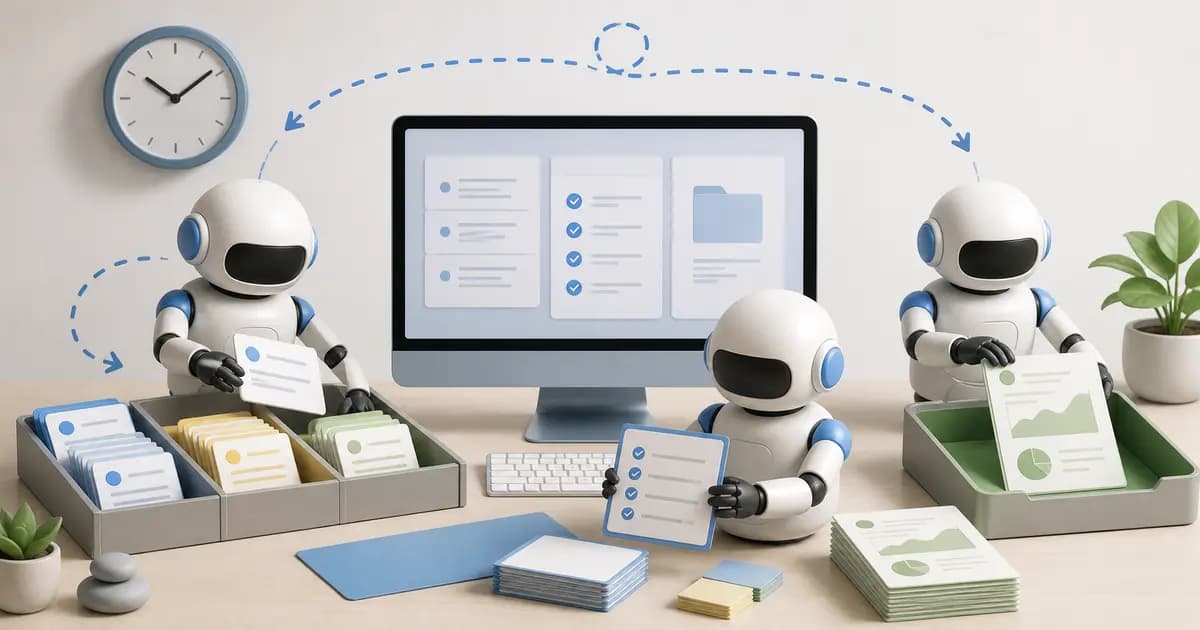
Grok Bots are persistent, named AI agents you give a particular job. A Bot can work with files, use websites and connected tools, keep context, and return to a task later. You manage those agents in the dedicated Grok Bot app, which is separate from the Grok chatbot on X. Each Bot has its own conversation, while the Bots on your account share a cloud computer. Grok Bot overview
A Bot fits work with a recurring shape: preparing a weekly report, checking a support queue, or collecting evidence for a bug report. Before you delegate it, decide what result you need, which information the Bot can use, and how you'll check its work.
This guide uses the official documentation available on September 2, 2026. The examples below are suggested task designs, not claims from a hands-on benchmark.
What a Bot actually does
You give a Bot an assignment in a conversation, supply context, and connect the tools it needs. Its cloud computer provides a browser, files, and a command line. A supported connector offers another way to use a service. For websites without one, the Bot may work through the browser. Computer and apps documentation
The distinction matters when you choose a task. Asking for a report requires more than specifying a topic. The Bot needs the source, the reporting period, and a definition of a useful result. If those are missing, a polished answer can still be the wrong report.
Consider this illustrative assignment:
> Review this week's support export. Group tickets by the problem customers describe, include a ticket reference for each finding, and draft a short product brief. If the export is missing or covers the wrong dates, stop and tell me. Leave replies to customers for my review.
This gives the Bot a source, a deliverable, and a stopping rule. You can inspect the result against the export. A broad instruction such as "manage customer support" leaves those decisions unresolved.
Bots, skills, and routines do different jobs
The Bot is the agent responsible for the work. A skill stores a reusable method. A routine tells a Bot when to perform a workflow, on a schedule or through a supported event trigger. Grok recommends getting a one-off task working before saving and scheduling it. Skills and routines documentation
In the support example, the Bot might own support analysis. Its skill would explain how to group tickets, handle duplicates, and cite evidence. A Friday routine would run that method against the latest export. Those are separate decisions. Changing the schedule won't fix a weak method.
If you're new to reusable agent instructions, our guide to what AI skills are explains the underlying idea. Don't assume that a saved Grok workflow and a downloadable skill package have identical installation or sharing behavior. Check the format and the receiving app.
Context persists, but access is shared
A Bot can retain working preferences and context over time. That is useful when you repeatedly need the same output format or have already explained how your team defines a problem. For changing facts, such as this week's tickets, have it return to the source. Bot context and memory
All Bots on your account share files, browser sessions, and credentials on the cloud computer. Separate Bot names do not isolate access. Connecting a service for one job can make that session available to other Bots on the account. Shared computer behavior
Give access with the whole account in mind. A Bot that prepares a report rarely needs permission to change the underlying system. For external messages, purchases, publication, and other consequential actions, define the approval point and review the app's available controls. The official guidance describes Auto Review as model based, so it should accompany scoped access and explicit instructions. Approvals and security
Start with work you can check
A useful first job has visible inputs and a result you can judge without repeating the whole task. Here are possible starting points:
- Turn a supplied support export into a list of recurring problems with ticket references.
- Compare two versions of a product document and draft questions about unclear changes.
- Assemble a bug report from supplied screenshots, reproduction steps, and logs.
- Review a folder of campaign assets against a written brief and list mismatches.
These are task ideas, not tested performance claims. For each one, choose a small sample and keep the first run under review. Check whether the Bot used the right inputs, preserved important details, and admitted what it couldn't establish.
For example, a support brief that groups tickets neatly but loses severity is incomplete. Add the severity rule to the method and test again. Schedule the workflow only after the output is consistently useful. A routine's test run can perform real actions, so use suitable inputs and permissions. Testing routines
What a shared Grok Bot gives you
A shared Bot is a starting configuration you can copy into your own account. The public preview can expose its description, skills, and routines. It does not give you the creator's computer, logins, or conversation history. You'll need your own access to the tools involved. Sharing a Bot
That is the basis of a Grok Bot template. A specialist can package a narrow method, explain the required setup, and show what an acceptable result looks like. The buyer should still inspect the configuration before connecting accounts or enabling recurring work.
Capabase supports bot templates alongside AI skills and plugins. When evaluating a product listing, look for the job it handles, required services, sample outputs, and clear limitations. The name of the Bot is less informative than the method and evidence behind it.
Common questions
Does Grok Bot keep working when my laptop is closed?
The documentation says background work runs on the cloud computer and can continue after you close the app or laptop. A task can still need a login, human confirmation, or another missing input before it can finish. Grok Bot FAQ
Is a Grok Bot template a subscription to Grok?
A template provides a configuration. Access to Grok Bot and usage allowances depend on your account and eligible plan. Check the current access and pricing page before buying a template. A marketplace purchase should not be assumed to include the platform subscription or third-party tool costs.
If you are evaluating a Grok Bot template, browse current products on Capabase and check the required services, shared configuration, sample output, and limits before connecting an account.